
Blink Eye Logoblinkeye
Blink Eye LogoIntroducing blinkeye - The Open Source

Eye Care & ⏳ Break Reminder, with Screen time tracking and Task Reminder.

Prevent eye strain, improve posture, and stay productive with Blink Eye! Follow the rule with smart break reminders, screen time tracking, and a built-in task manager—helping you work smarter and feel better every day.

User's of Blink Eye

Used and Trusted by 31,347+ Users

Install using on macOS or on Windows

Supports macOS Intel/M Chip (ARM) | Windows 10, 11 (MSI, EXE) | Linux (Debian, AppImage, RPM, Tar.gz)

Latest: v2.8.1
|Release Notes|
Downloaded: 132,166 times
20
Pause! Look into the distance, and best if you walk a bit.
Current Time:
Screen on Time: 00:00

Features

All the necessary productivity tools in one place.

Customizable Reminder Timers

Set personalized reminder timers to stay focused and on track.

Diverse Themes for Personalization

Pick from various themes to customize your interface and workflow.

Customizable Reminder Text

Create custom reminder messages to keep you motivated.

Customizable Sounds

Choose your own sounds for notifications and alerts.

Daily Device Usage Time

Track your screen time to optimize productivity and balance.

Workday Setup

Quickly set up your workday schedule for better productivity.

Pomodoro Timer

Break tasks into intervals for maximum focus and efficiency.

Run on Startup

Launch the app automatically when your device starts.

Update Support

Receive seamless updates for the latest features and fixes.

Choose the right plan for you

Blink Eye is open-source and community-driven. By purchasing a license, you're not just unlocking premium features—you’re supporting the developers, funding future improvements, and ensuring this project continues to grow. Your contribution helps keep innovation alive while making eye care accessible for everyone.

1 Device
One-time payment

What's included

  • Use on 1 device
  • Free updates
  • No automatic renewal
  • No recurring billing
  • One-time purchase for full year

Premium Features

  • Reminder theme customization
  • Sound customization
  • Screen on time tracking
  • To-do list manager
  • Pending task reminder
  • Workday setup
  • Screen savers
  • All features from future updates
RECOMMENDED
2 Devices
One-time payment

What's included

  • Use on 2 devices
  • Free updates
  • No automatic renewal
  • No recurring billing
  • One-time purchase for full year

Premium Features

  • Reminder theme customization
  • Sound customization
  • Screen on time tracking
  • To-do list manager
  • Pending task reminder
  • Workday setup
  • Screen savers
  • All features from future updates
5 Devices
One-time payment

What's included

  • Use on 5 devices
  • Free updates
  • No automatic renewal
  • No recurring billing
  • One-time purchase for full year

Premium Features

  • Reminder theme customization
  • Sound customization
  • Screen on time tracking
  • To-do list manager
  • Pending task reminder
  • Workday setup
  • Screen savers
  • All features from future updates

For discounts, enterprise, or student pricing: alnoman.dhoni@gmail.com

Discover the Features that Make Us Stand Out

Explore the features that make our app stand out. From customizable reminders to multiple themes, we've got you covered.

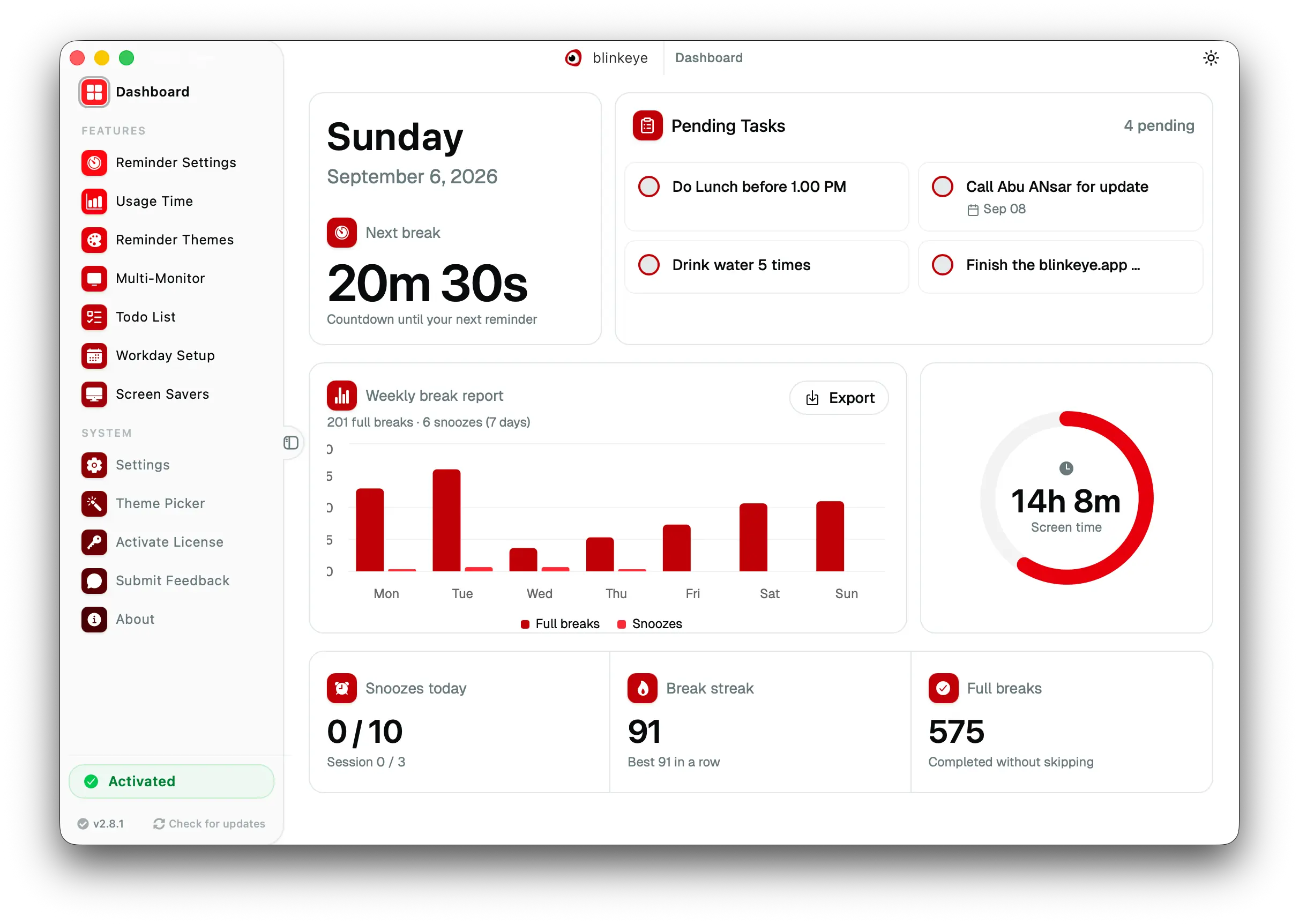
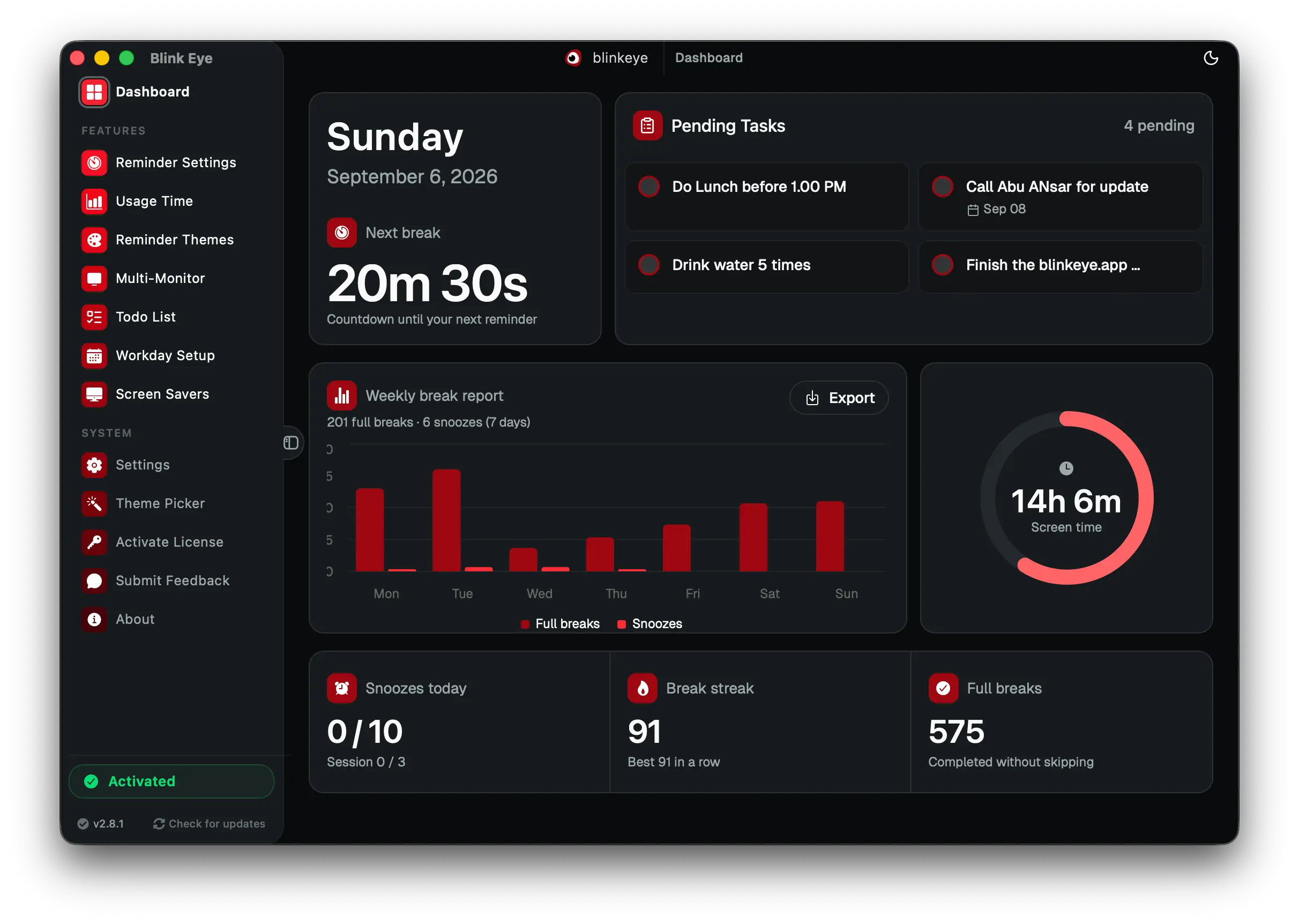
Dashboard: Blink Eye tracks screen time and 20 20 20 breaks in one dashboard. Blink Eye shows remote workers and students the next break, todays screen time and streak in one glance.

Dashboard · Overview

Blink Eye tracks screen time and 20 20 20 breaks in one dashboard

Blink Eye shows remote workers and students the next break, todays screen time and streak in one glance.

Your home base for eye health. See if breaks are active, when the next 20 20 20 reminder is due and how much screen time you logged today. Everything is glanceable so you stay focused without opening menus.

  • Live countdown to the next eye break with pause and resume
  • Todays screen time and streak at a glance
  • One click access to all 11 tools
  • Familiar native layout with sidebar navigation

eye care dashboard, screen time tracker, 20 20 20 break reminder, Blink Eye
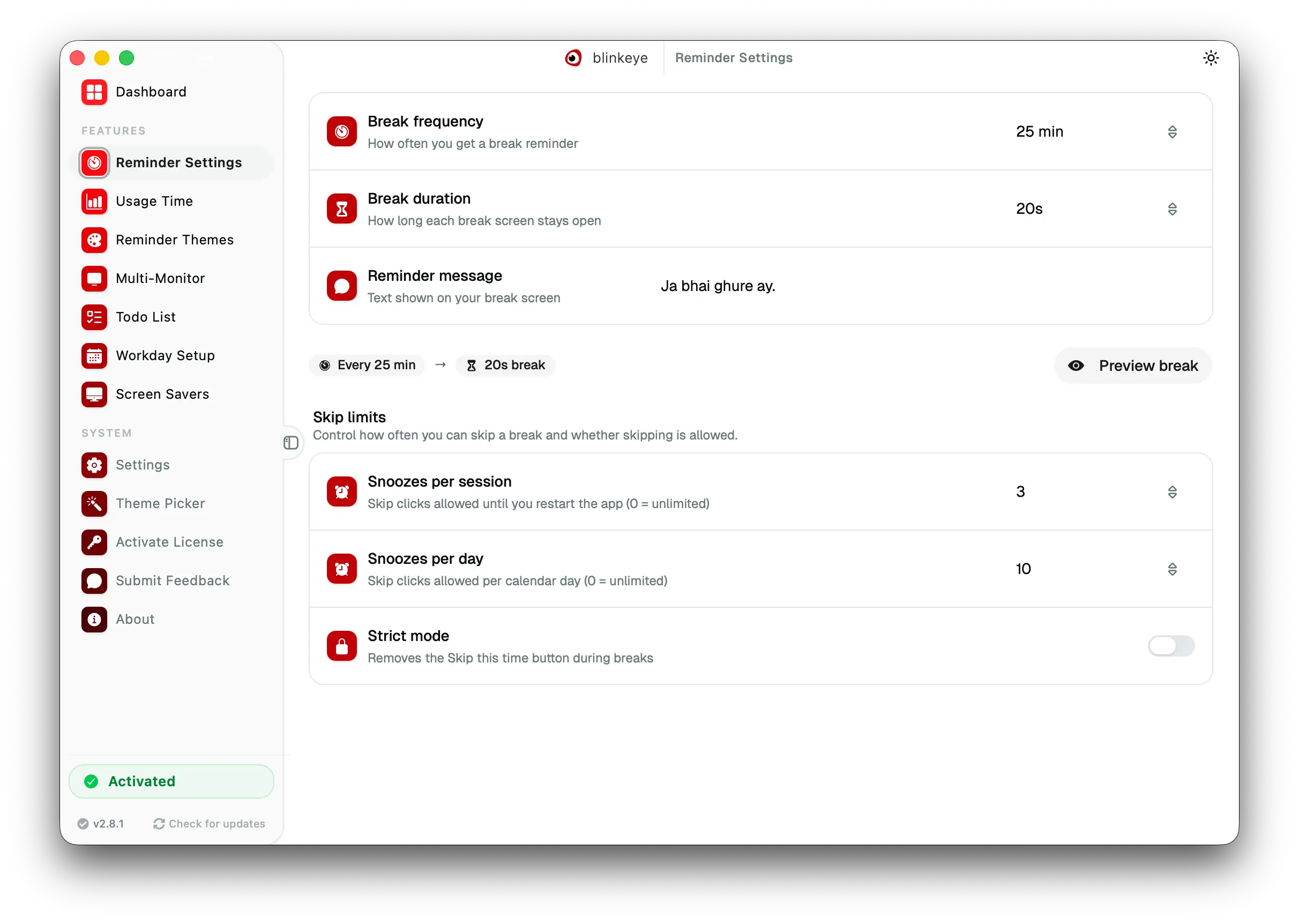
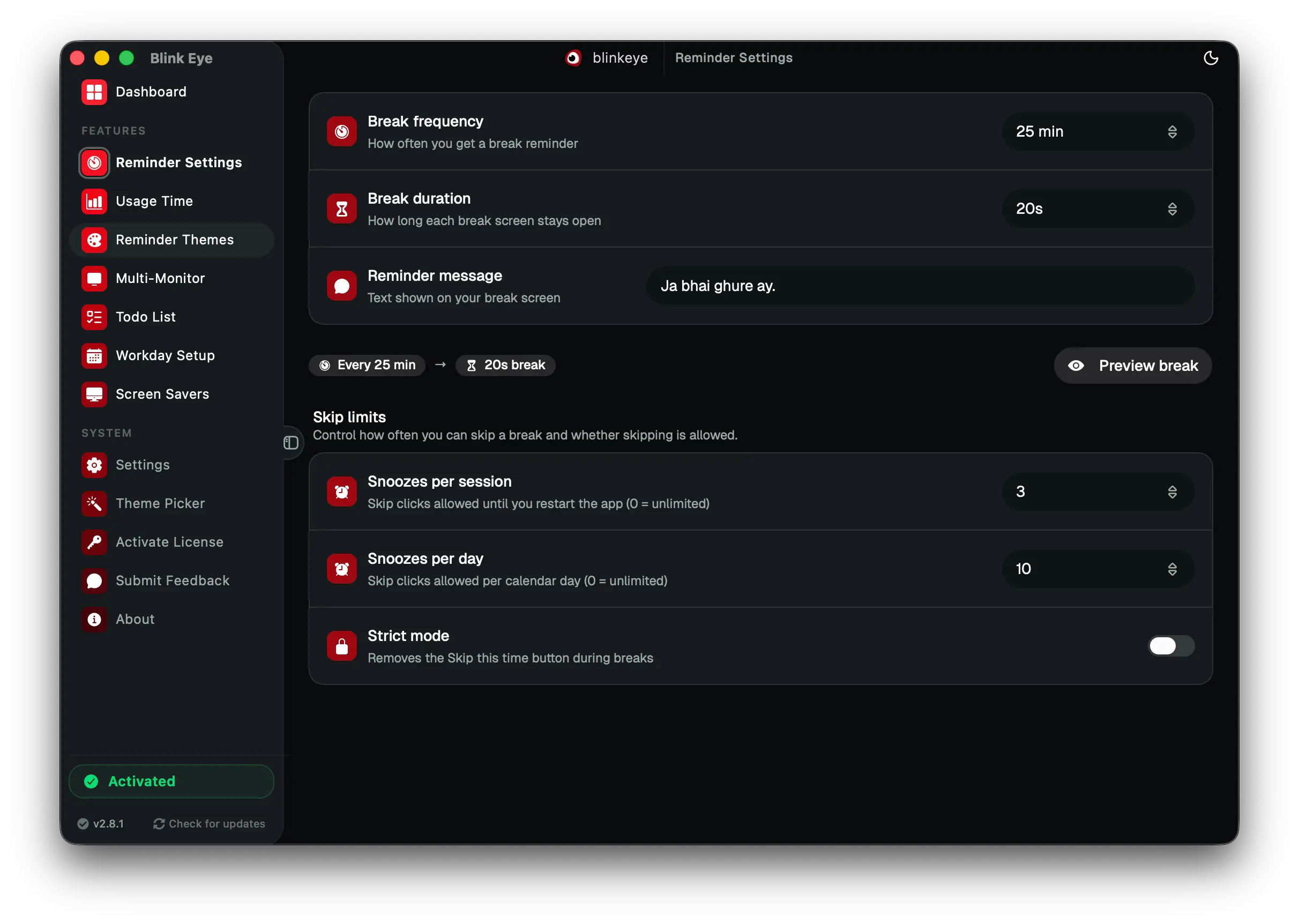
Reminder Settings: Blink Eye reminds you by the 20 20 20 rule to relieve eye strain and dry eyes. Blink Eye runs a custom 20 20 20 break timer with your own interval, break length, message and sound to prevent computer vision syndrome.

Reminder Settings · Core

Blink Eye reminds you by the 20 20 20 rule to relieve eye strain and dry eyes

Blink Eye runs a custom 20 20 20 break timer with your own interval, break length, message and sound to prevent computer vision syndrome.

Set the rhythm that fits your work. Follow the strict 20 20 20 rule or a Pomodoro style flow. Control interval, break length, custom message, sound and strict mode here.

  • Reminder interval and break length in seconds or minutes
  • Your own break message with strict mode to enforce rests
  • Notification sound with preview before saving
  • Test reminder instantly

20 20 20 rule, eye strain relief, dry eyes, break timer, Blink Eye

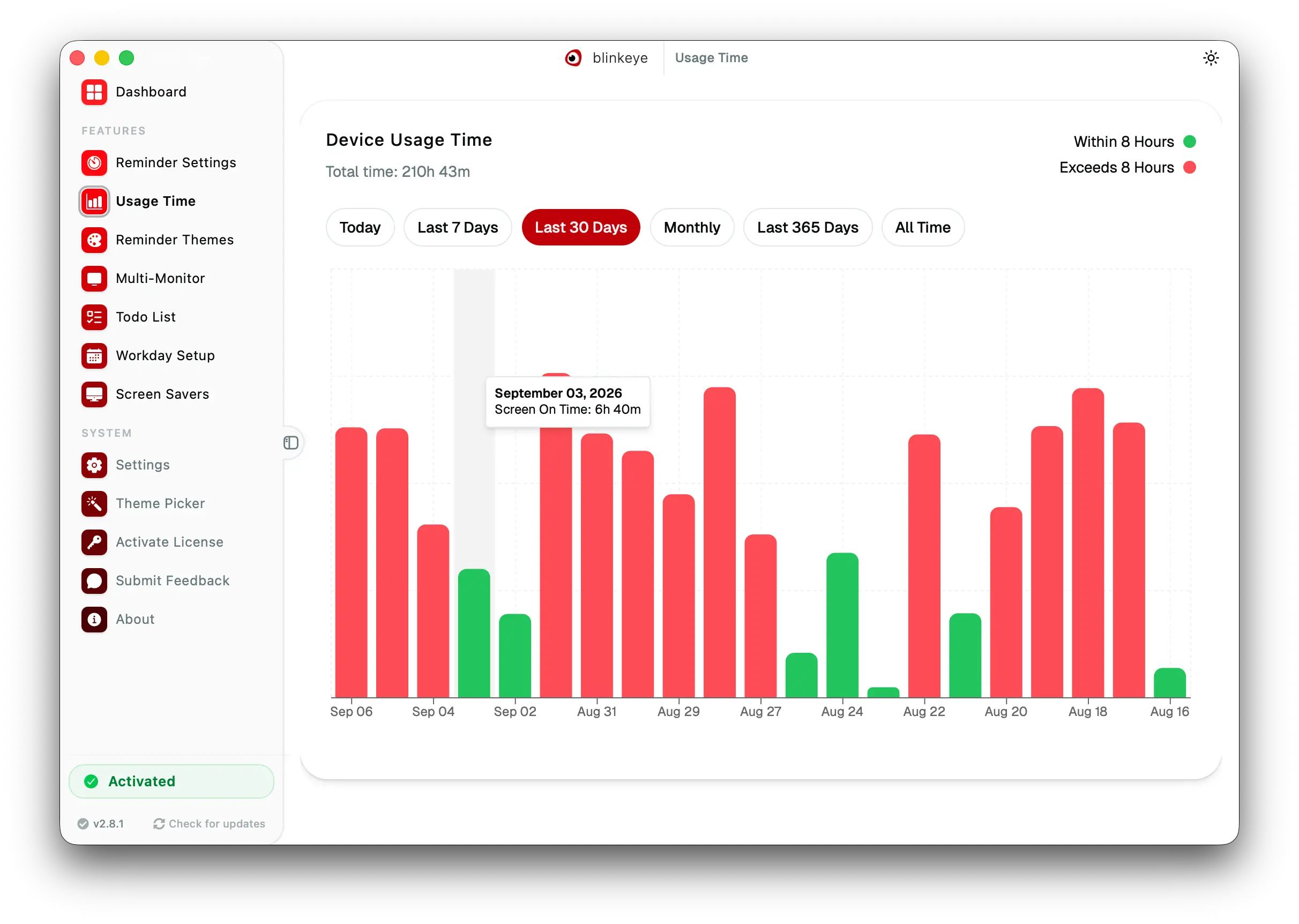
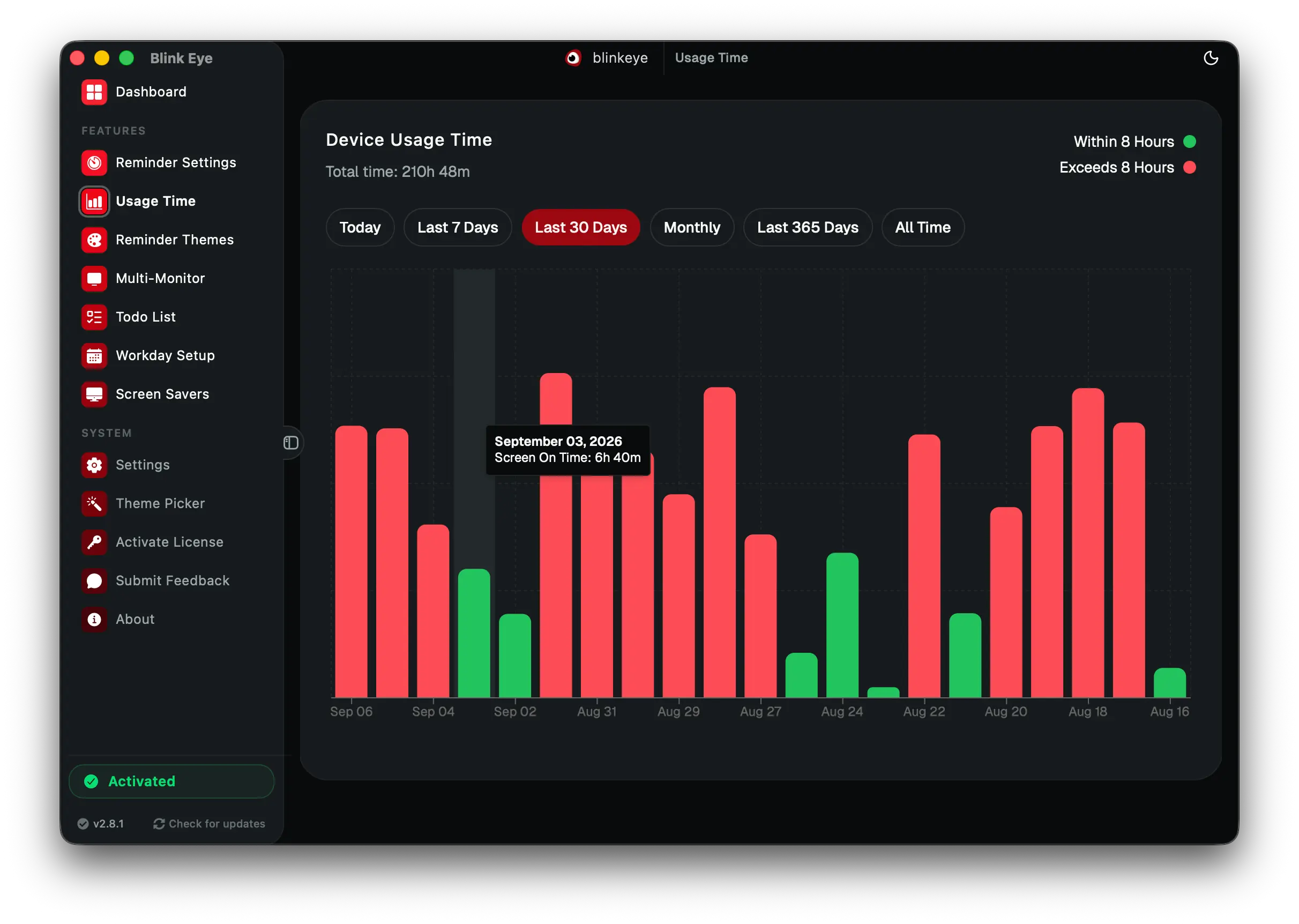
Usage Time: Blink Eye tracks screen time with daily, weekly and monthly reports. Blink Eye monitors computer usage with clear charts that help you spot overwork and build healthy screen habits.

Usage Time · Insights

Blink Eye tracks screen time with daily, weekly and monthly reports

Blink Eye monitors computer usage with clear charts that help you spot overwork and build healthy screen habits.

See your real computer use with clear charts. Spot long sessions that cause eye strain, compare weeks and build balanced screen habits from actual data.

  • Daily, weekly, monthly, yearly and all time views
  • Charts for total time and average session length
  • Spot overwork trends before they hurt your eyes
  • No extra tracking app needed

screen time tracker, computer usage time, usage analytics, Blink Eye

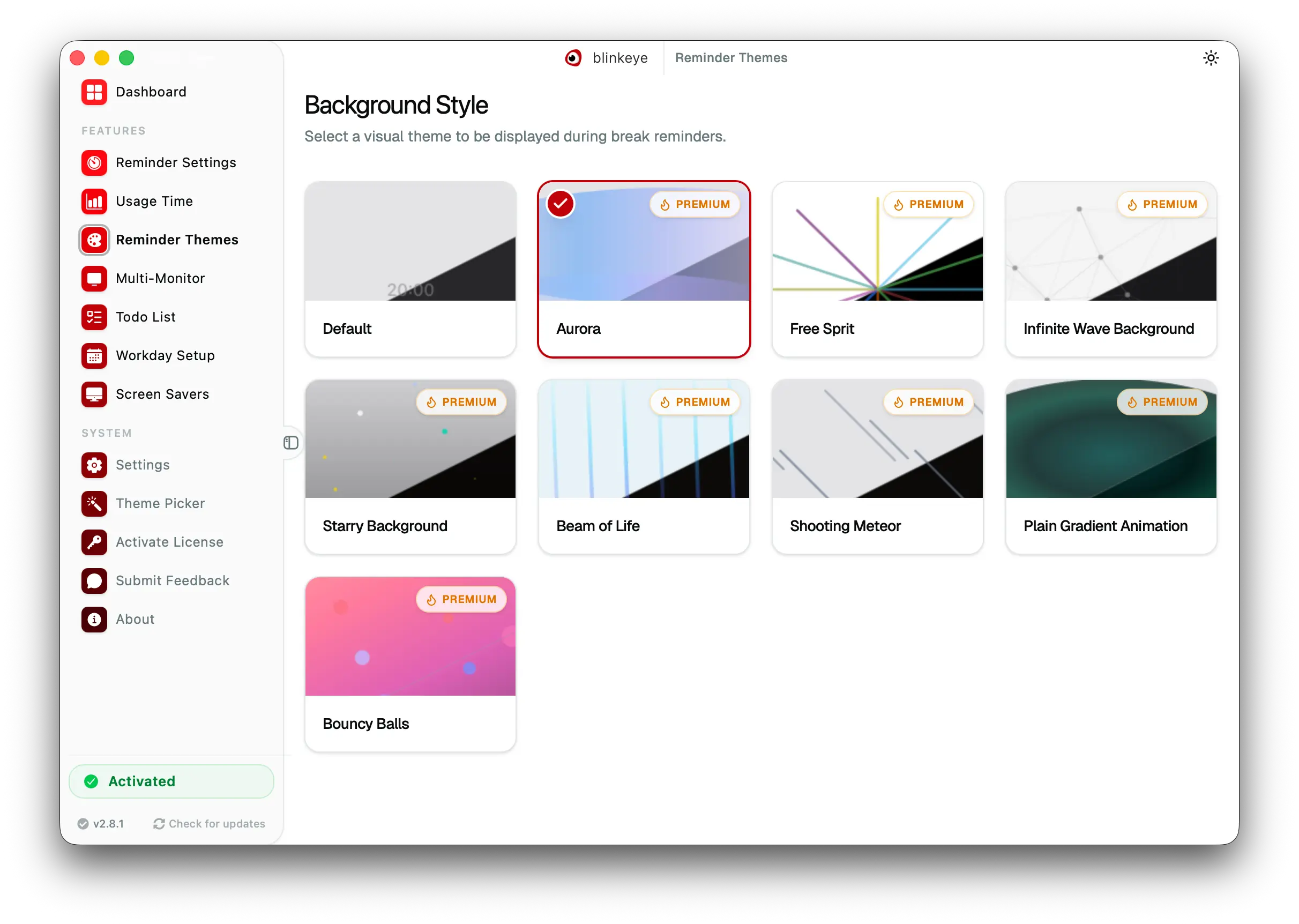
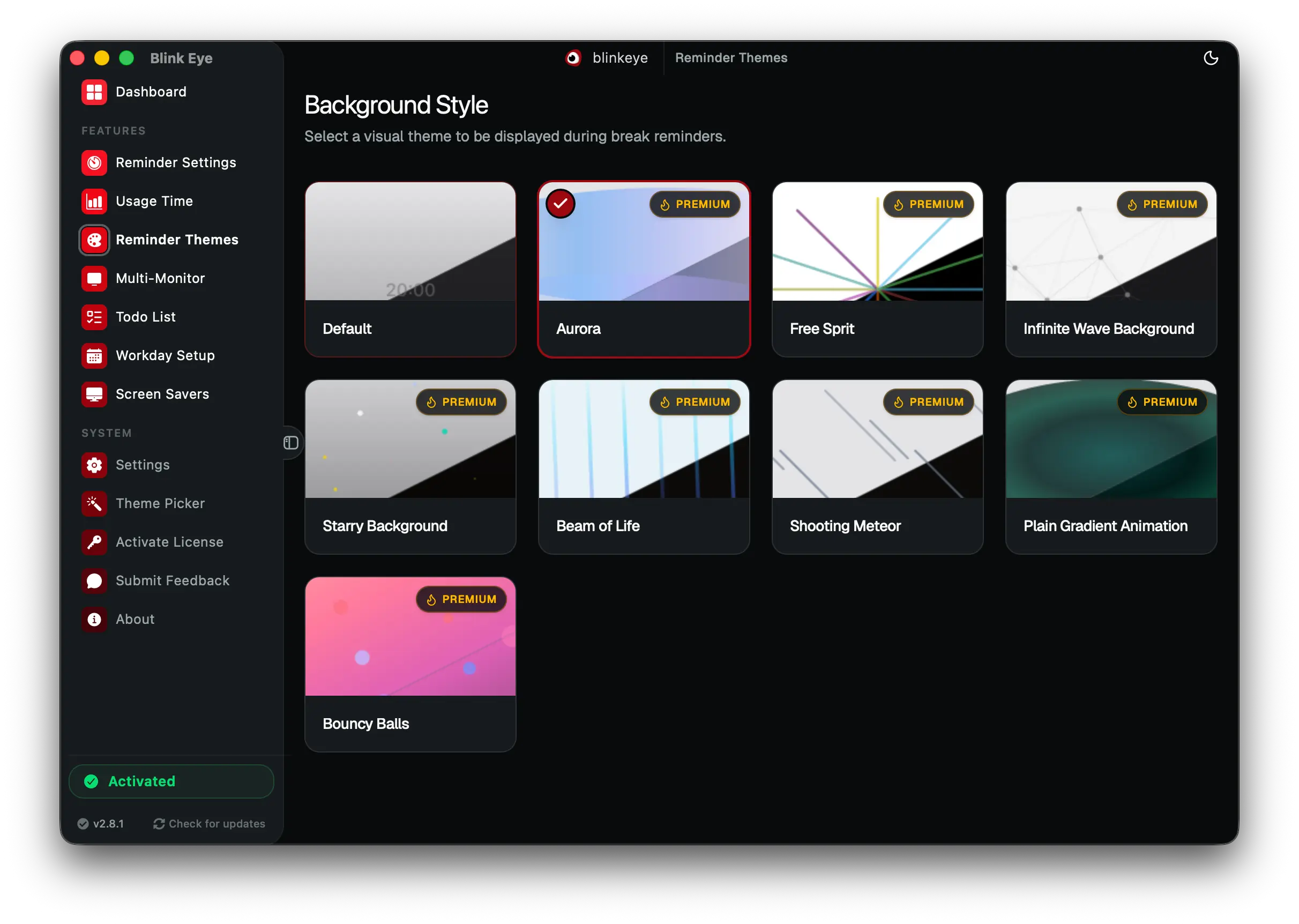
Reminder Themes: Blink Eye makes breaks comfortable with custom fullscreen themes for rested eyes. Blink Eye offers calm, distraction free fullscreen break themes in light and dark.

Reminder Themes · Personalization

Blink Eye makes breaks comfortable with custom fullscreen themes for rested eyes

Blink Eye offers calm, distraction free fullscreen break themes in light and dark.

A break should feel like a pause, not an interruption. Choose a fullscreen theme that calms or energizes you, from minimal to immersive, all designed for eye comfort.

  • Multiple fullscreen themes for every mood
  • Distraction free and easy on the eyes
  • Preview any theme before applying
  • Works in light and dark mode

break screen themes, eye comfort, reminder themes, Blink Eye

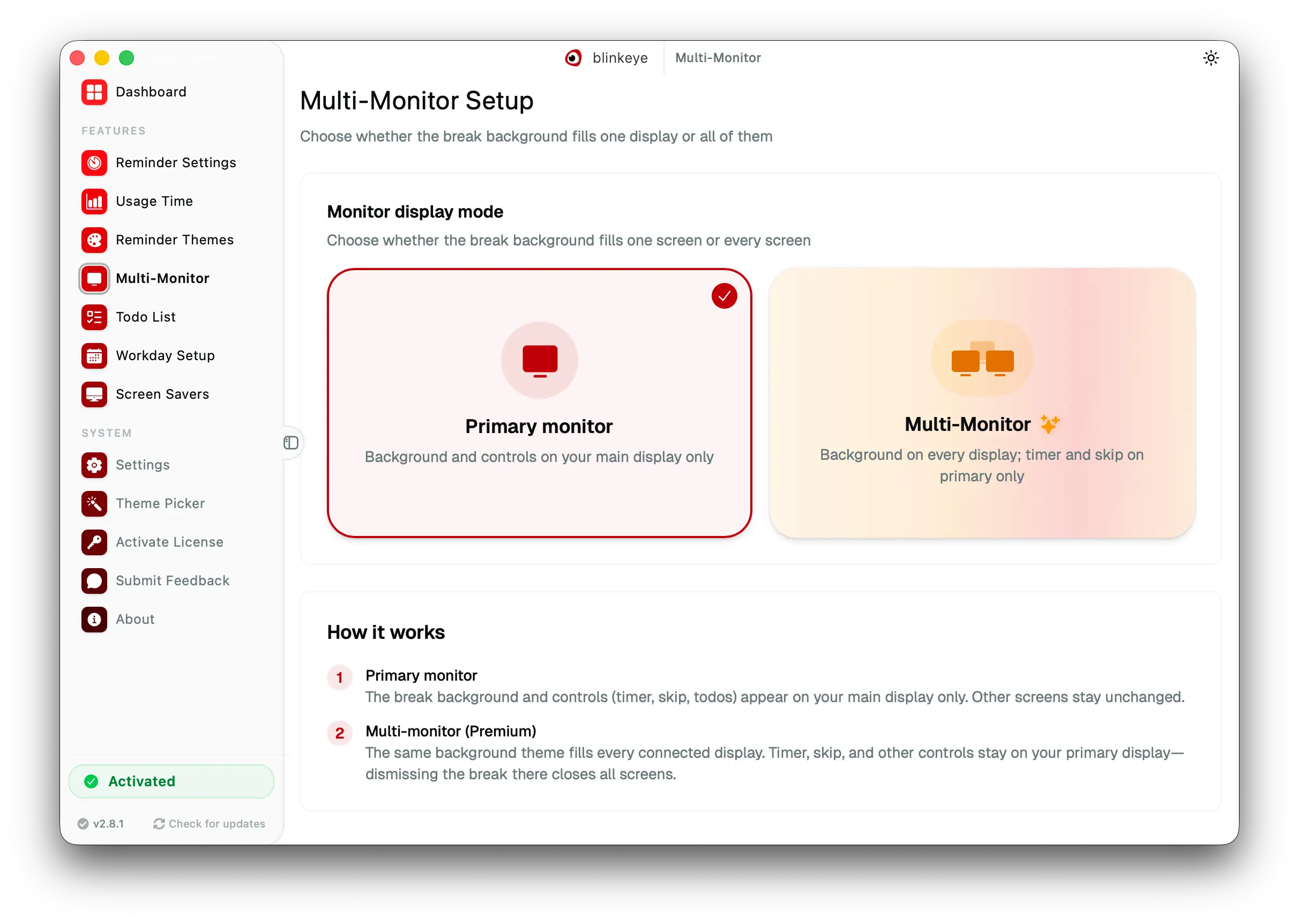
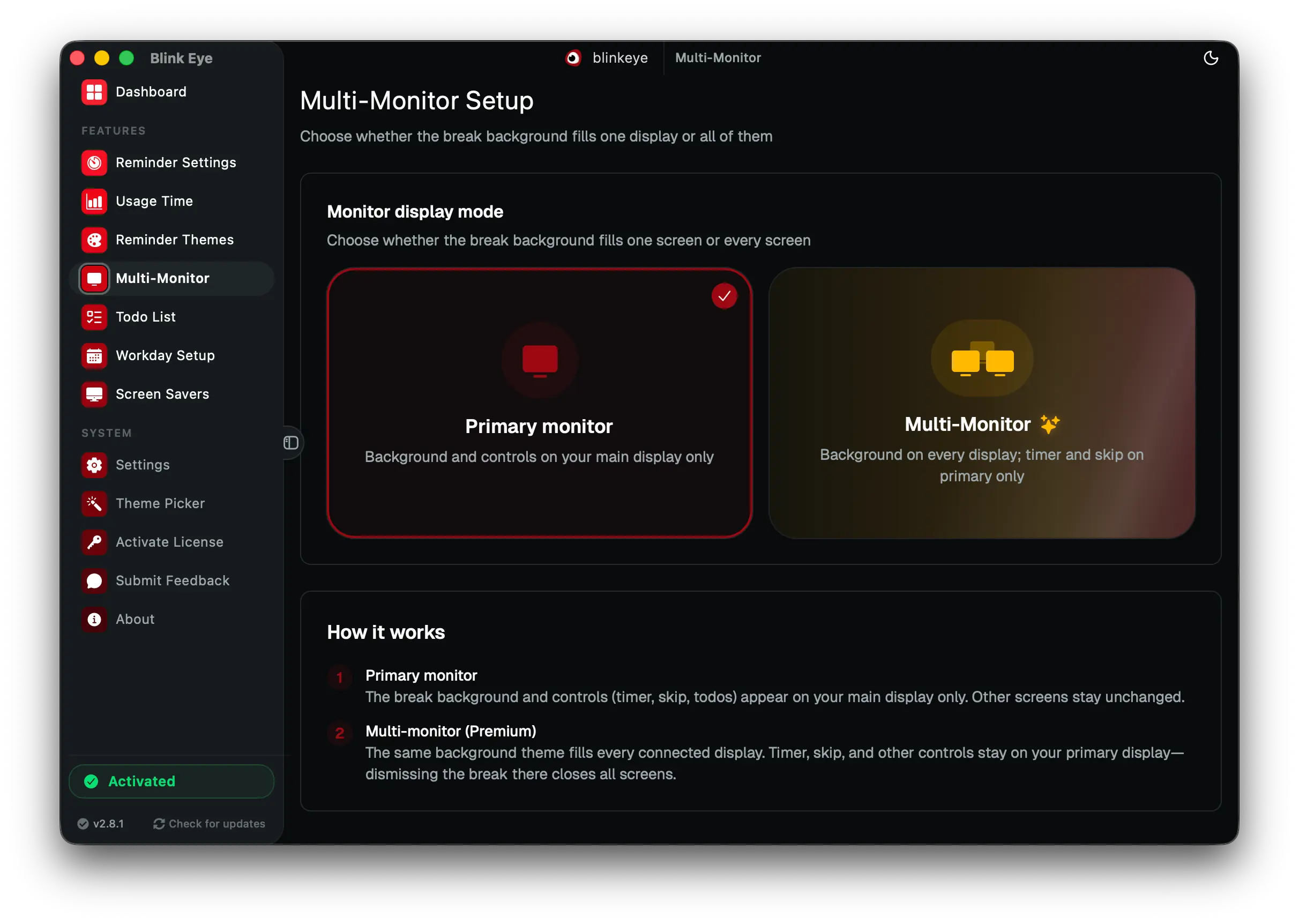
Multi Monitor: Blink Eye covers every monitor with break reminders for dual and triple setups. Blink Eye shows the eye break overlay on every screen or only the main one, built for developers, designers and traders.

Multi Monitor · Power users

Blink Eye covers every monitor with break reminders for dual and triple setups

Blink Eye shows the eye break overlay on every screen or only the main one, built for developers, designers and traders.

Two or three screens should not leave a loophole for eye strain. Show the break overlay on every monitor or just the primary, exactly how you work.

  • Break on all monitors or primary only
  • No window can escape the reminder
  • Built for developers, designers and traders
  • Works on Windows, macOS and Linux

multi monitor break reminder, dual screen, triple screen, Blink Eye

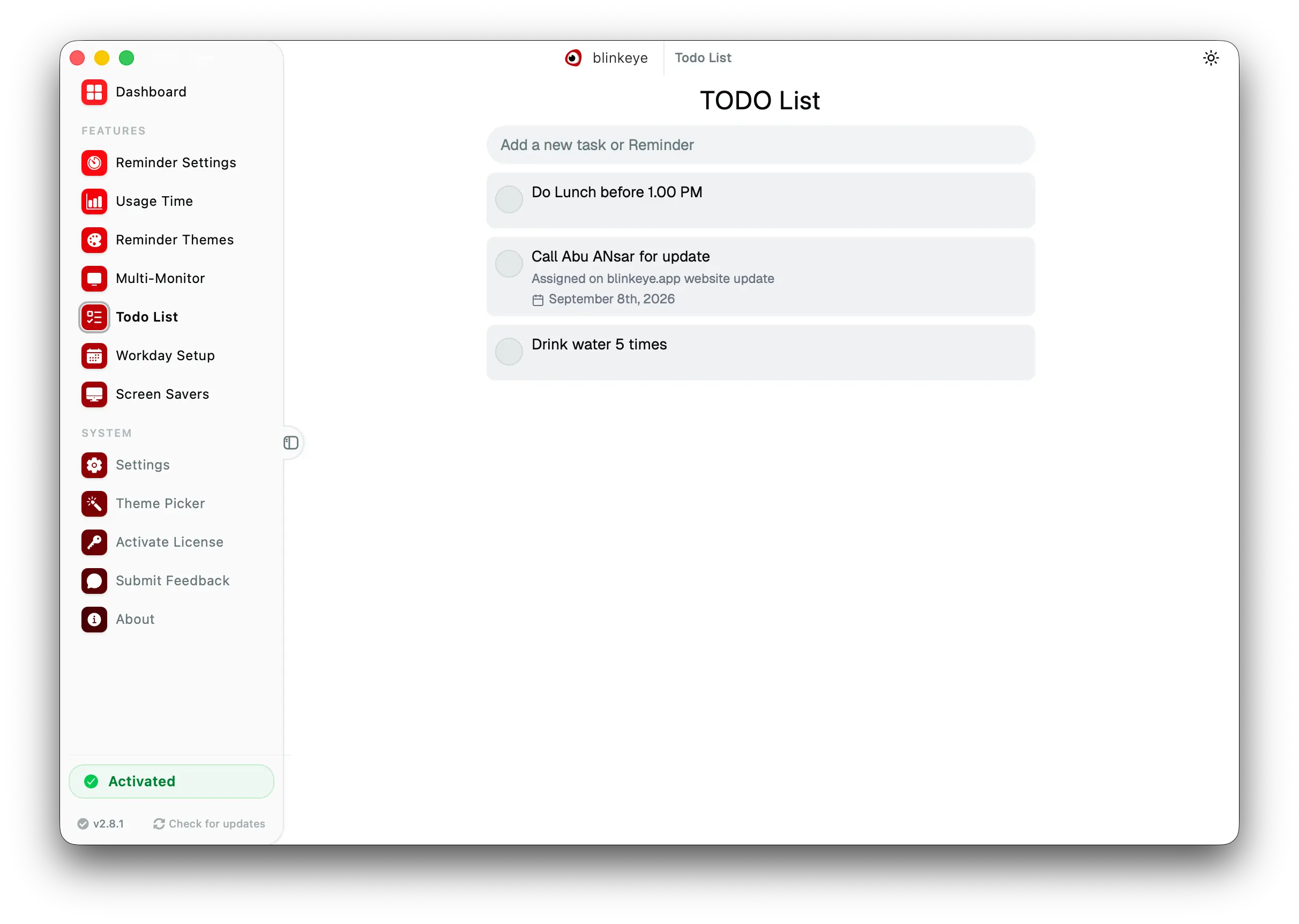
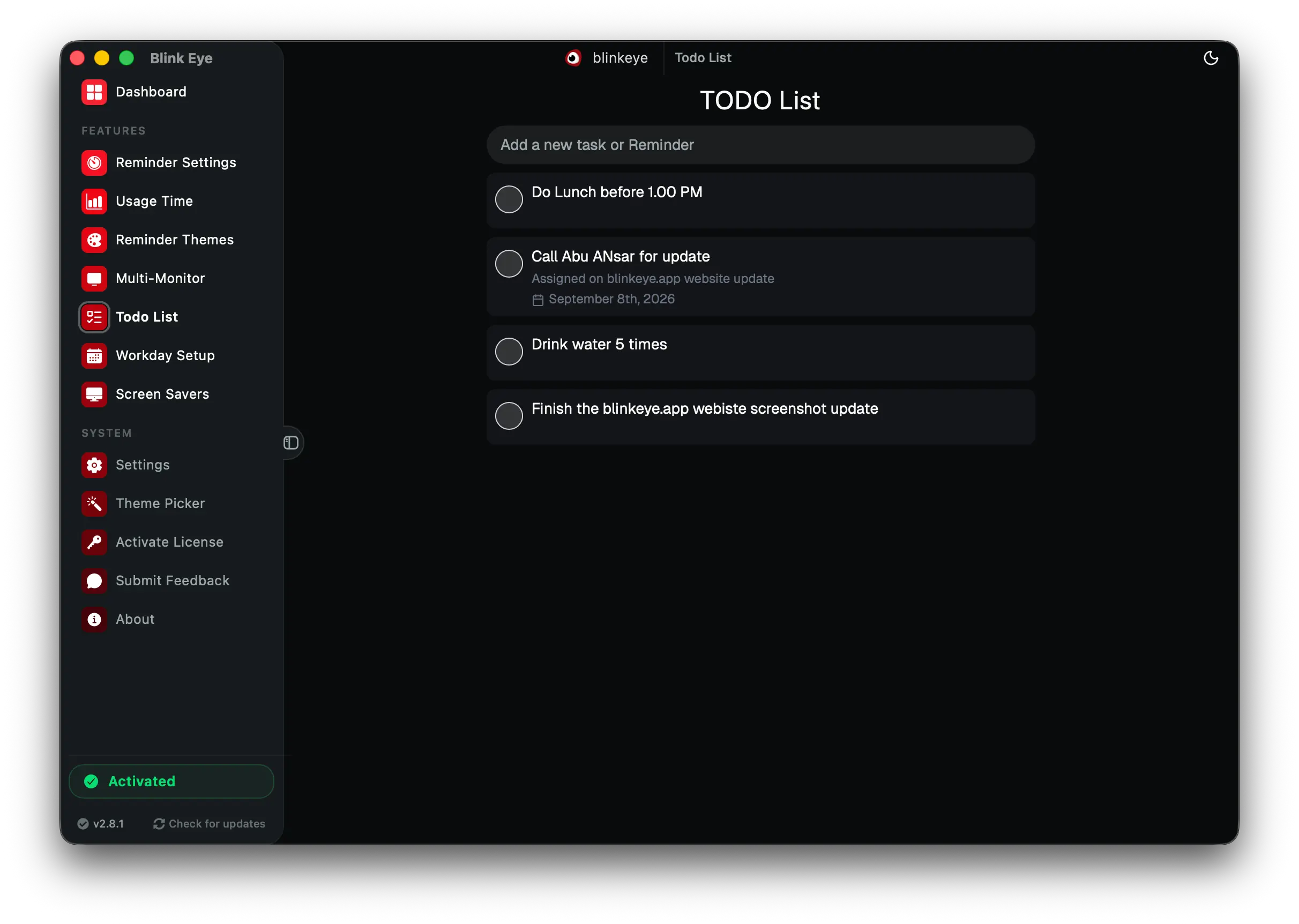
Todo List: Blink Eye keeps tasks beside breaks with a Pomodoro task manager for focus. Blink Eye lets you capture todos where you take breaks and pairs them with Pomodoro focus sessions.

Todo List · Productivity

Blink Eye keeps tasks beside breaks with a Pomodoro task manager for focus

Blink Eye lets you capture todos where you take breaks and pairs them with Pomodoro focus sessions.

Capture tasks right where you take breaks. Create, check off and organize without switching apps, so you return from each eye rest knowing what is next.

  • Create, edit and complete tasks quickly
  • Always at hand during breaks
  • Pairs with Pomodoro and workday schedule
  • Less app switching, more focus

pomodoro timer, task manager, todo list, focus, Blink Eye

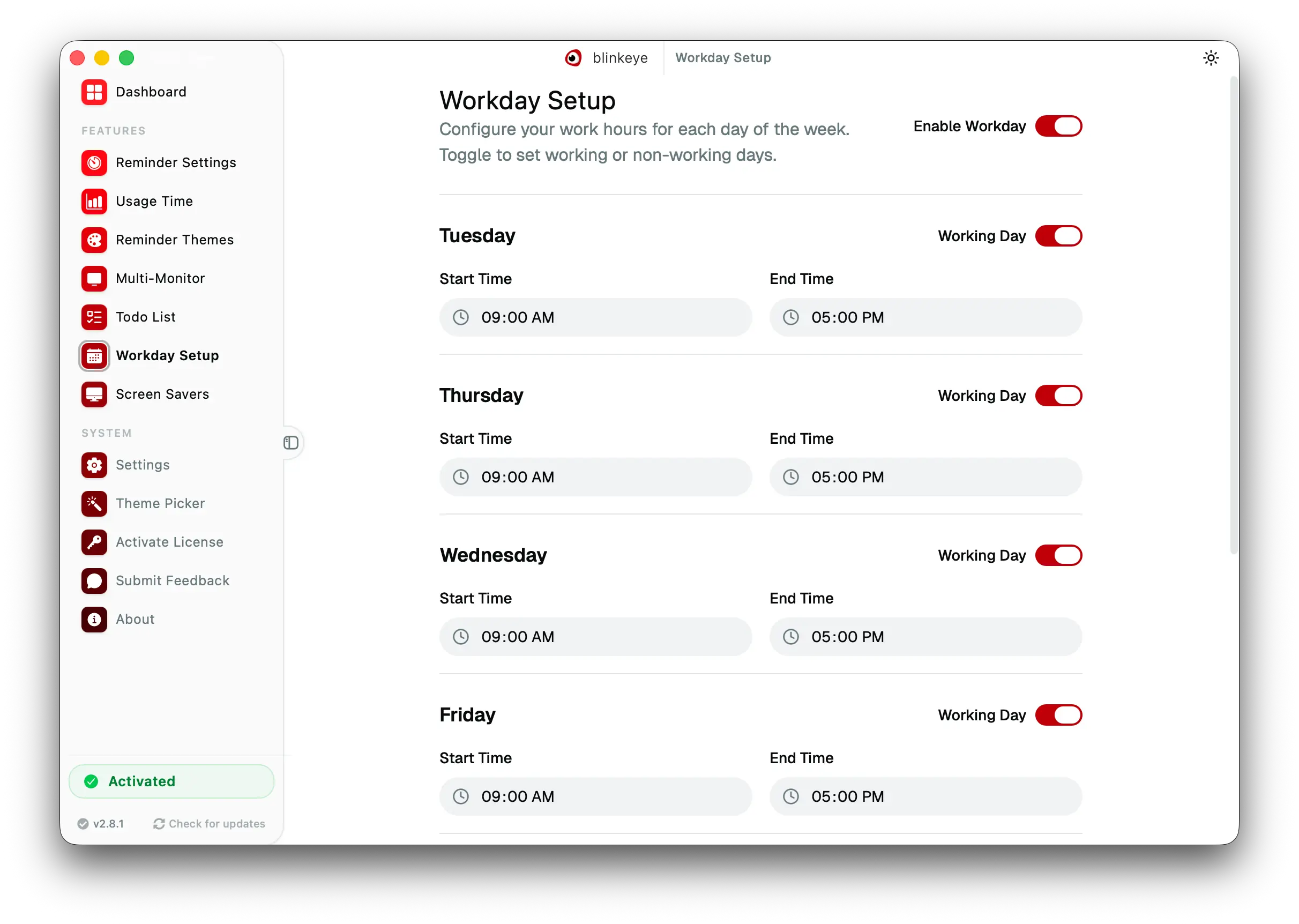
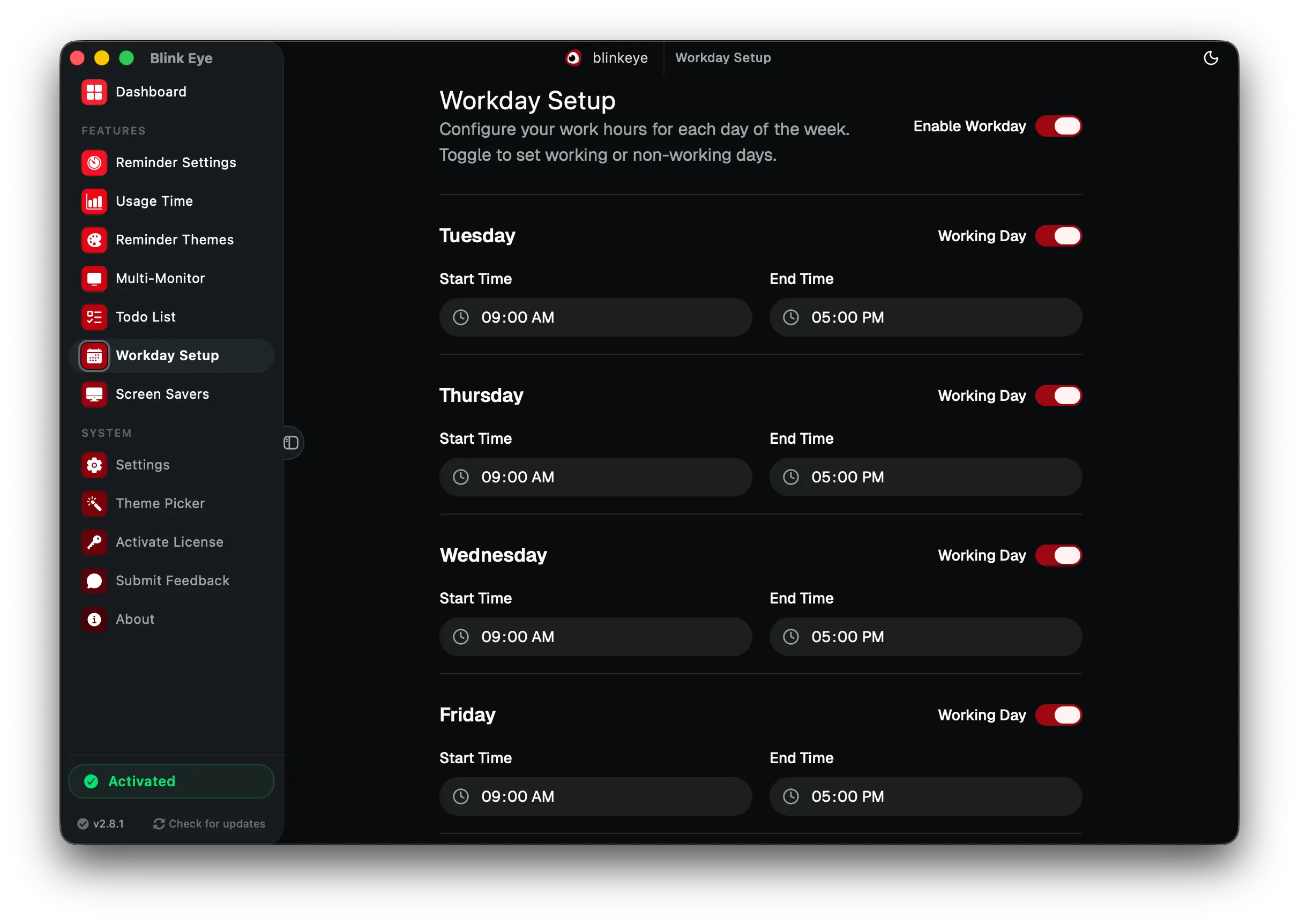
Workday Setup: Blink Eye respects your hours and pauses reminders after work. Blink Eye lets you set start and end times for each weekday so work break reminders stop at night and on weekends.

Workday Setup · Scheduling

Blink Eye respects your hours and pauses reminders after work

Blink Eye lets you set start and end times for each weekday so work break reminders stop at night and on weekends.

Tell Blink Eye when you actually work. Set start and end times for each weekday, keep weekends quiet and let breaks pause by themselves outside work hours.

  • Start and end time for each day
  • Pauses by itself outside work hours
  • No reminders at night or on weekends
  • Set once and it runs all week

work hours scheduler, workday setup, break planner, Blink Eye

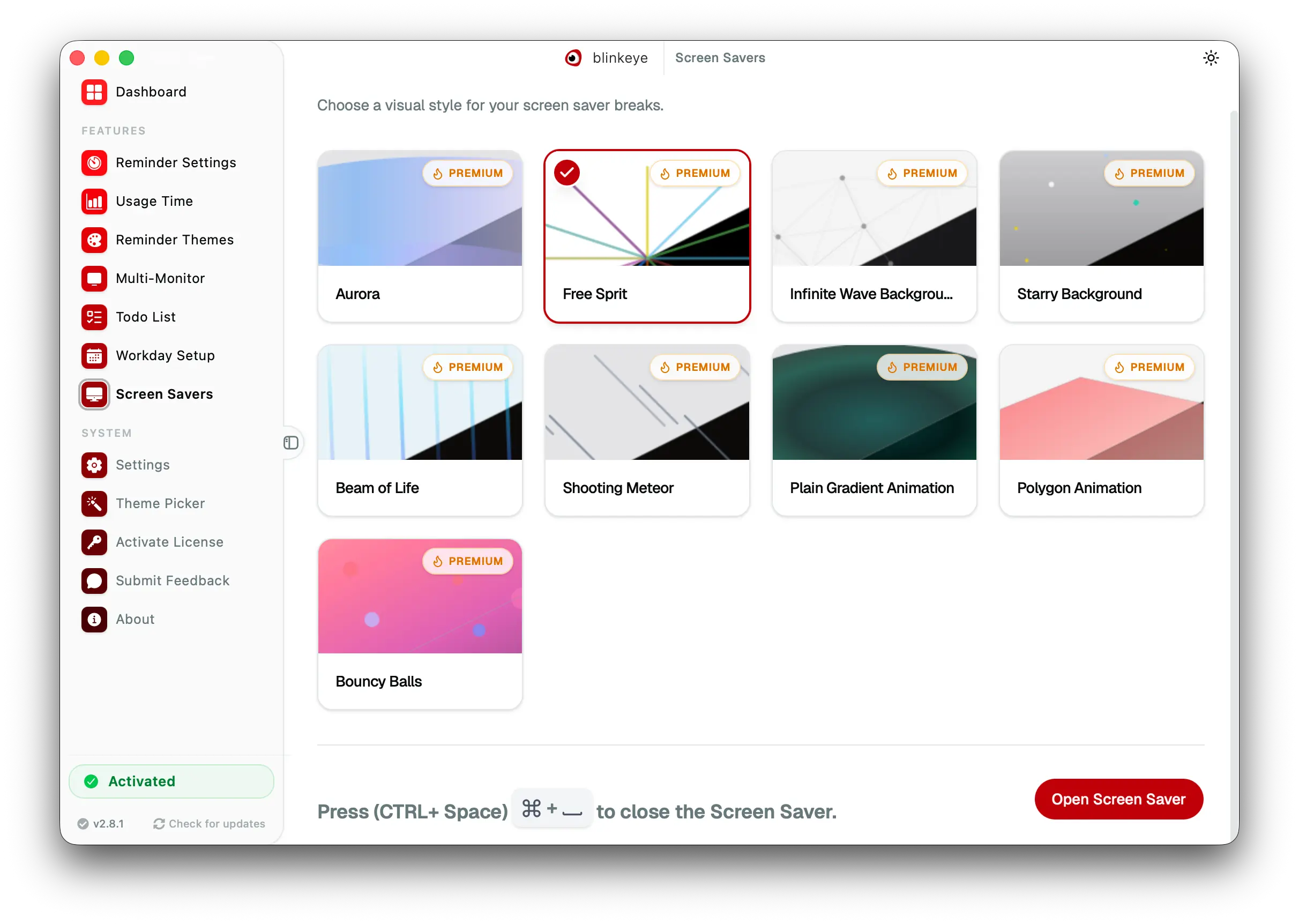
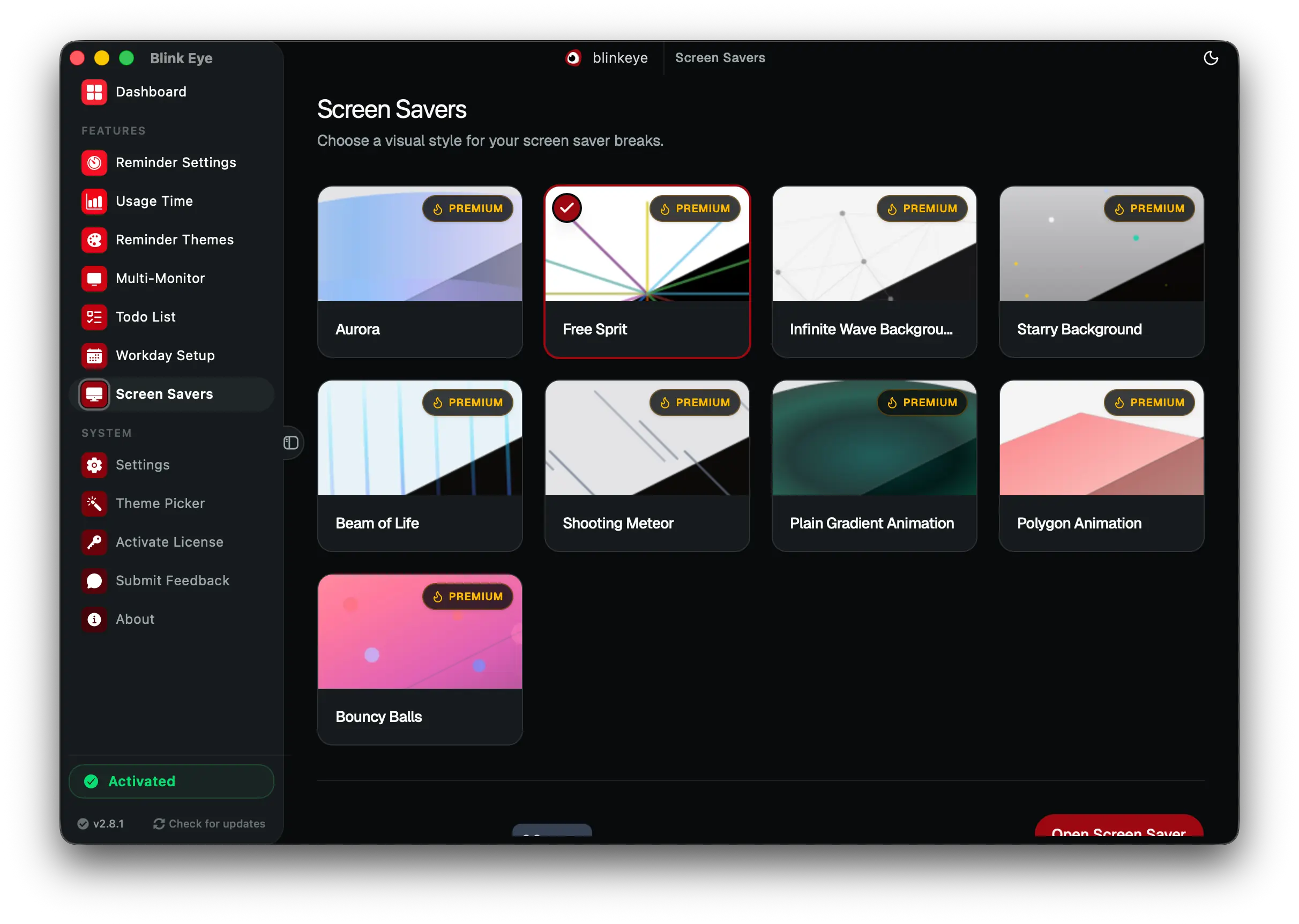
Screen Savers: Blink Eye turns eye breaks into retreats with 9 animated screen savers. Blink Eye plays 9 premium visuals: Aurora, Free Sprit, Infinite Wave, Starry, Beam of Life, Shooting Meteor, Plain Gradient, Polygon and Bouncy Balls.

Screen Savers · Premium

Blink Eye turns eye breaks into retreats with 9 animated screen savers

Blink Eye plays 9 premium visuals: Aurora, Free Sprit, Infinite Wave, Starry, Beam of Life, Shooting Meteor, Plain Gradient, Polygon and Bouncy Balls.

Turn a 20 second eye rest into a small retreat. Pick from nine premium animations: Aurora, Free Sprit, Infinite Wave, Starry Background, Beam of Life, Shooting Meteor, Plain Gradient, Polygon and Bouncy Balls. Smooth, light and built to relax your eyes.

  • Nine visuals: Aurora, Free Sprit, Infinite Wave, Starry, Beam of Life, Shooting Meteor, Plain Gradient, Polygon, Bouncy Balls
  • Smooth motion with no lag
  • One click to select and open screen saver
  • Press Ctrl plus Space to close instantly

animated screen savers, eye break animation, relaxing break, Blink Eye

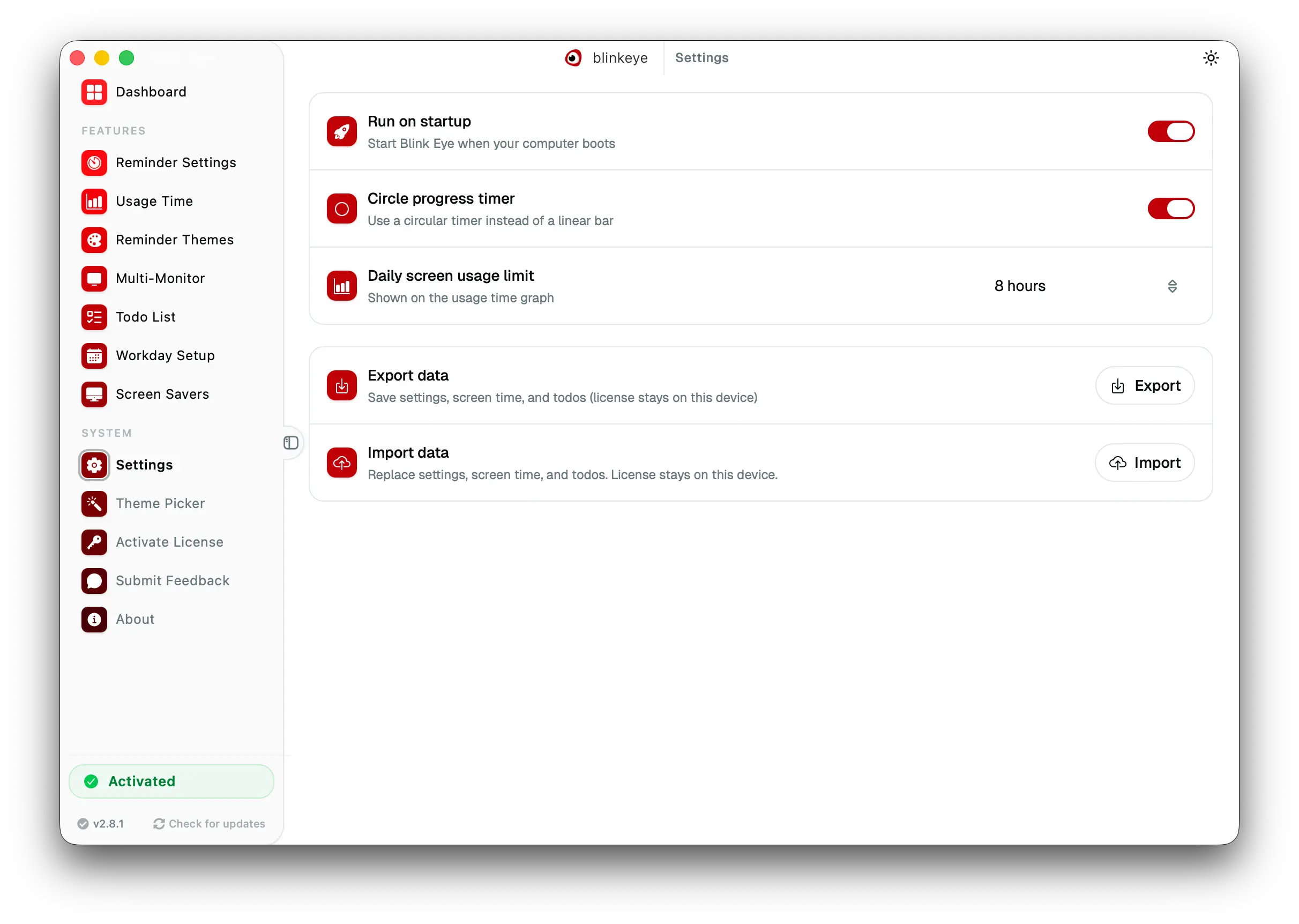
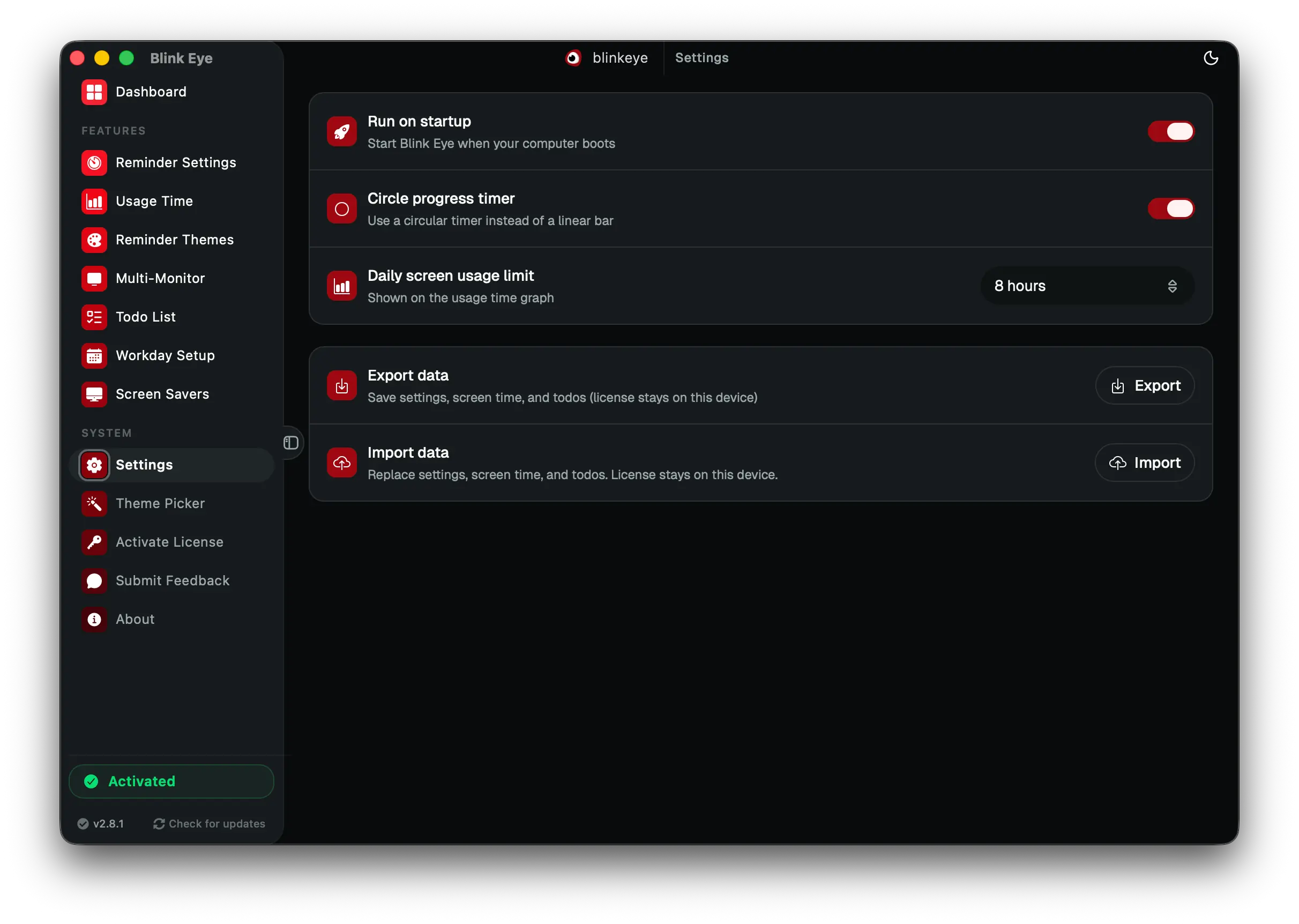
Settings: Blink Eye guards your eyes with strict mode and daily screen limits. Blink Eye controls startup, strict mode, idle detection, sounds and daily usage limits from one place.

Settings · Control

Blink Eye guards your eyes with strict mode and daily screen limits

Blink Eye controls startup, strict mode, idle detection, sounds and daily usage limits from one place.

The control room for serious preferences. Run on startup, force breaks with strict mode, detect idle time, manage sounds and set a daily screen time limit.

  • Launch on startup and run quietly
  • Strict mode and idle detection
  • Global shortcut and sound controls
  • Daily screen time limit with warnings

break settings, strict mode, screen time limit, Blink Eye

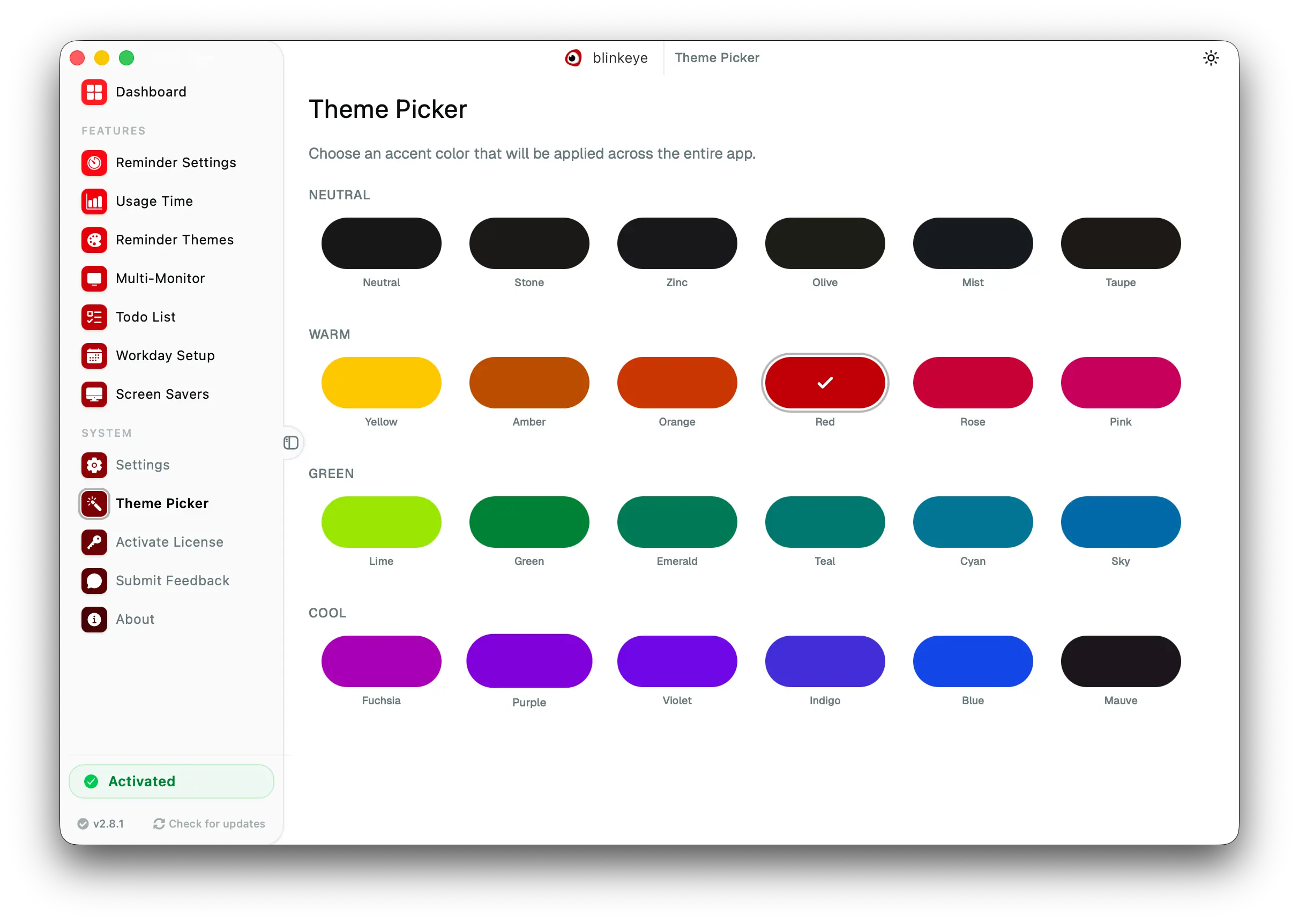
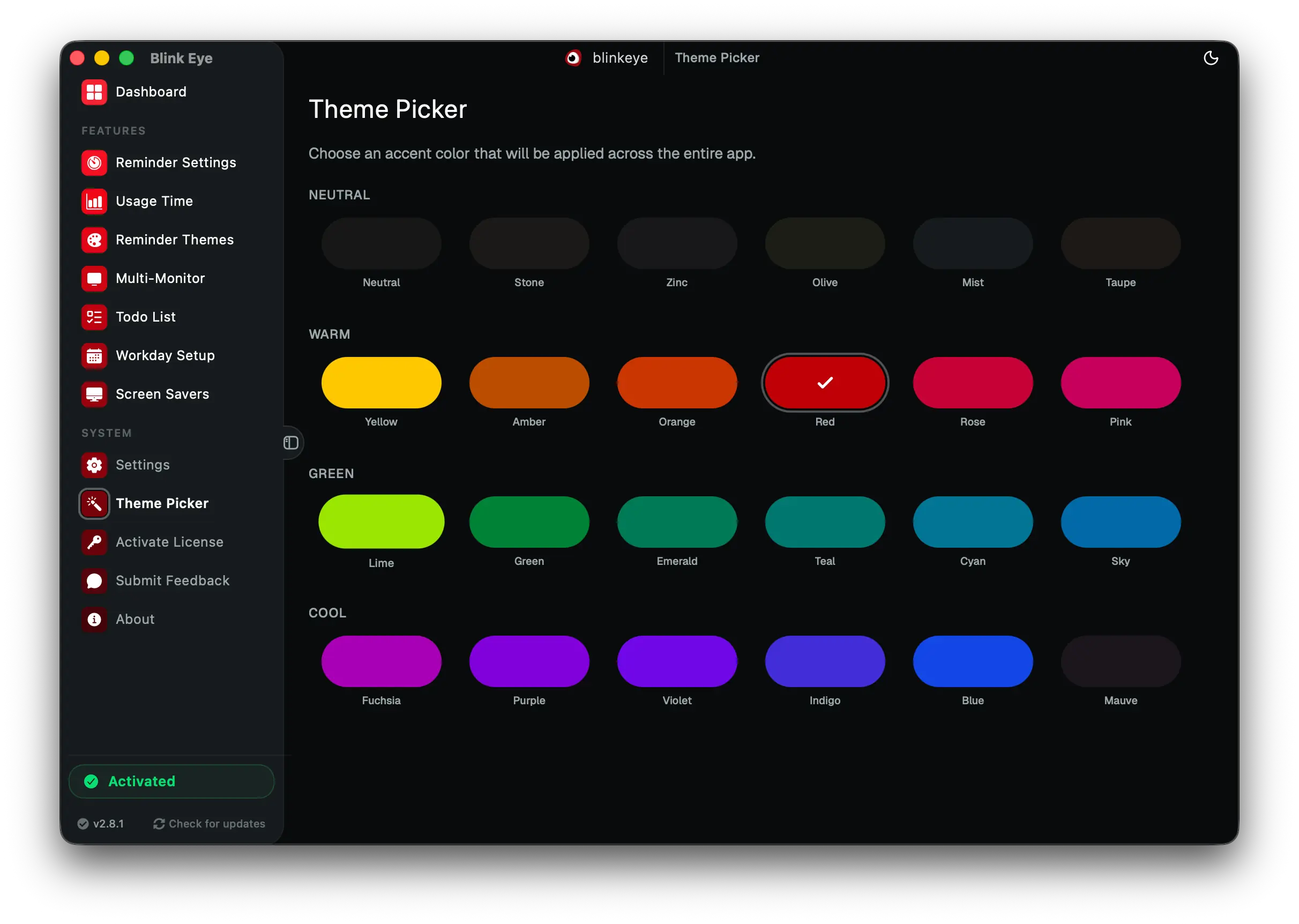
Theme Picker: Blink Eye offers 24 plus reminder themes to pick and make your own. Blink Eye ships more than 24 ready made themes and lets you customize colors and backgrounds to your own preference.

Theme Picker · Appearance

Blink Eye offers 24 plus reminder themes to pick and make your own

Blink Eye ships more than 24 ready made themes and lets you customize colors and backgrounds to your own preference.

Your breaks, your style. Browse a gallery of more than 24 handcrafted reminder themes, preview each one live, pick a favorite in one click, then tweak colors and backgrounds until it feels like yours. From calm minimal to bold and playful, there is a theme for every mood, desk and workflow.

  • More than 24 ready made themes to choose from
  • Live preview and one click switching
  • Customize colors and backgrounds your way
  • Light and dark friendly options for day and night

reminder themes, 24 themes, customize theme, pick theme, eye comfort, Blink Eye

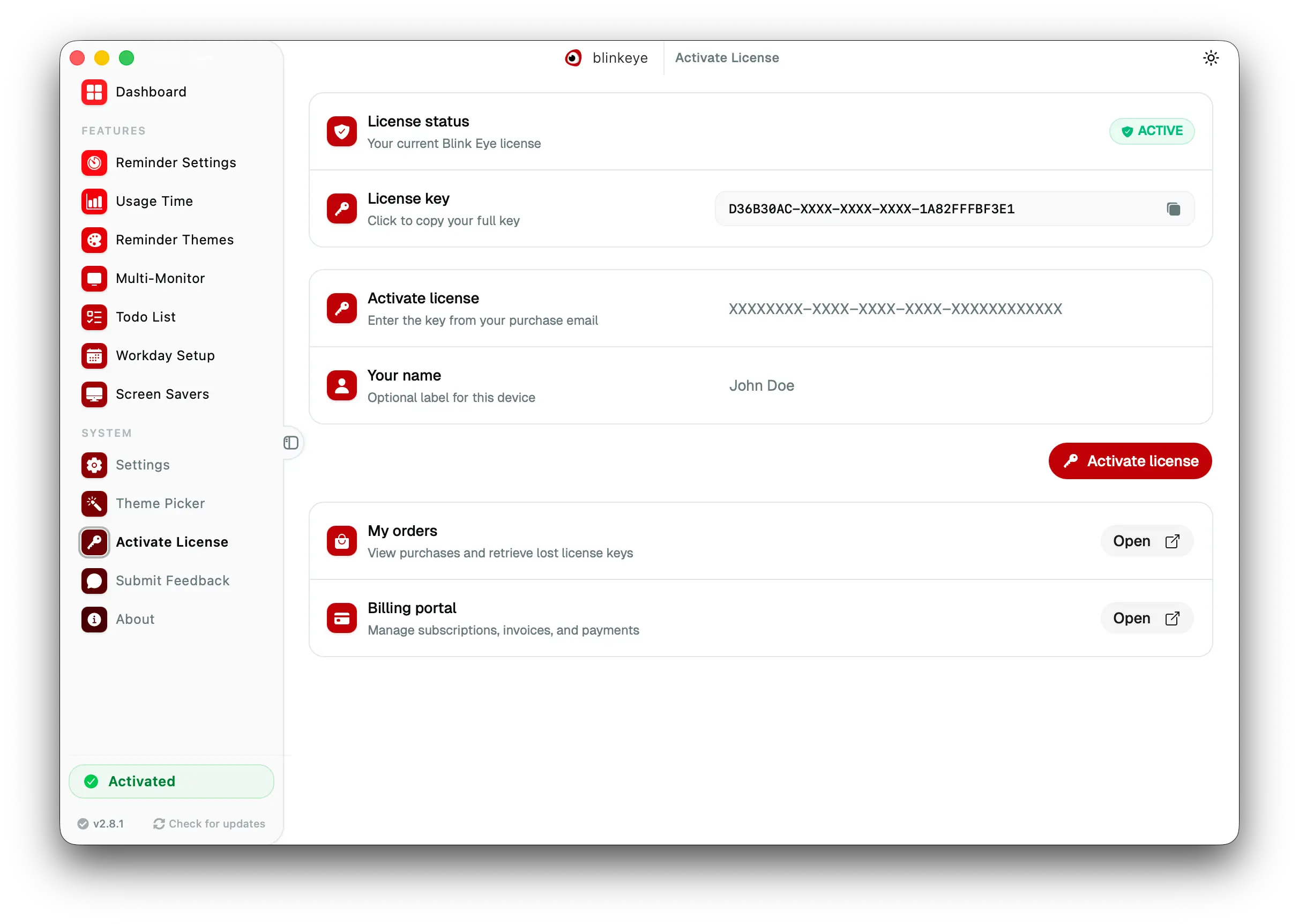
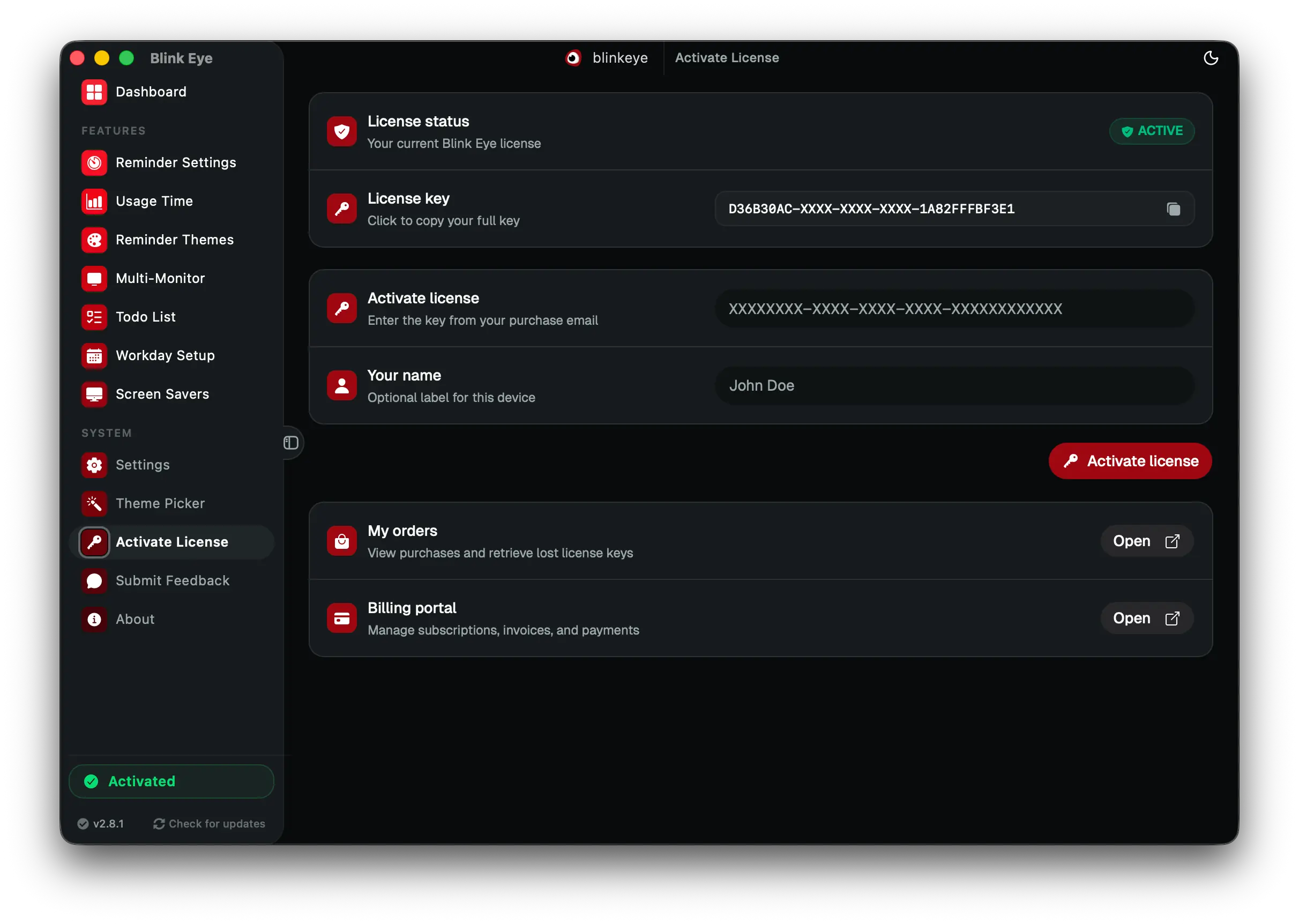
Activate License: Blink Eye unlocks premium with one license key for all animated screen savers. Blink Eye unlocks every premium screen saver plus future animations and updates with one license key.

Activate License · Premium

Blink Eye unlocks premium with one license key for all animated screen savers

Blink Eye unlocks every premium screen saver plus future animations and updates with one license key.

Paste your license once to unlock all nine premium screen savers, future animations and priority updates. Your purchase keeps this open source eye care app alive for everyone.

  • Simple one step activation
  • Unlocks all nine premium screen savers
  • Supports open source development
  • Verified instantly with no restart

premium unlock, license key, screen savers, Blink Eye

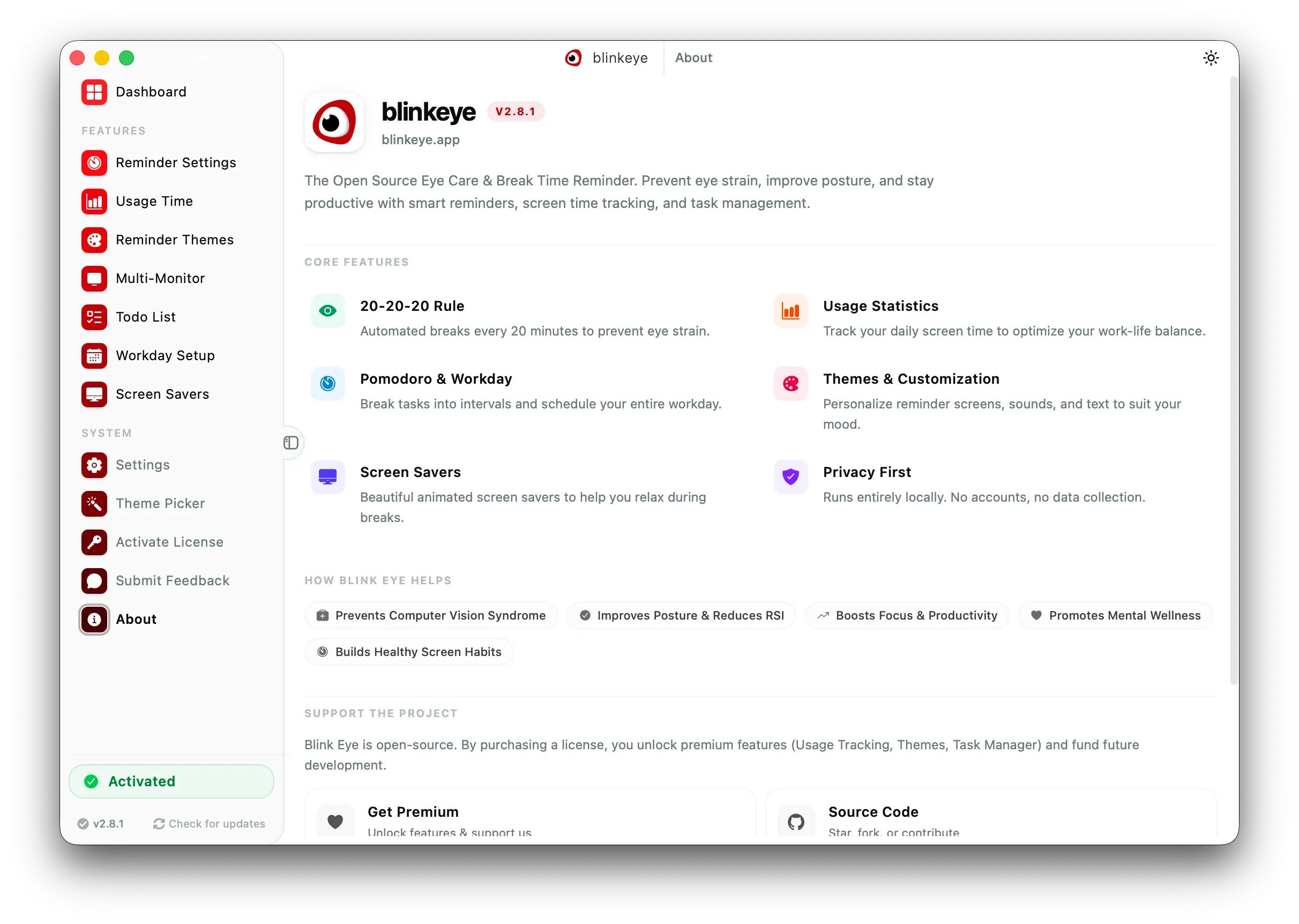
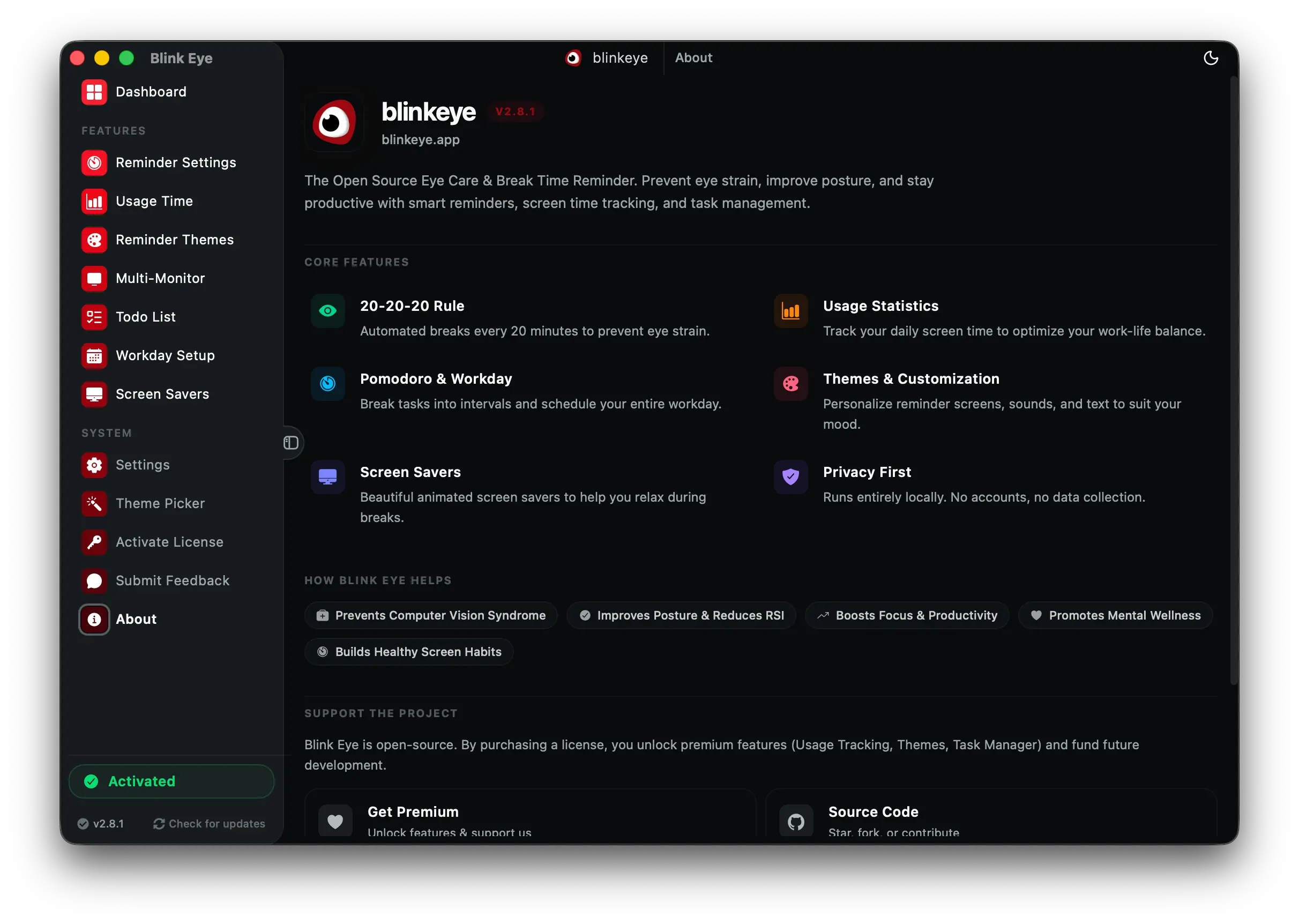
About: Blink Eye is a free open source eye care app for Windows, Mac and Linux. Blink Eye shows your version, updates in one click and links help, docs and GitHub.

About · Info

Blink Eye is a free open source eye care app for Windows, Mac and Linux

Blink Eye shows your version, updates in one click and links help, docs and GitHub.

Check your version, update in one click and find help. The sidebar shows activation, the current version and check for updates, so you always know you are current and supported.

  • Version and activation at a glance
  • One click check for updates
  • Links to docs, GitHub and support
  • Built by the open source community

free eye care app, open source, Windows Mac Linux, Blink Eye

How Blink Eye Will Help You

Take control of your well-being with Blink Eye. Discover how scheduled breaks can improve eye health, enhance focus, boostproductivity, and promote long-term wellness for a balanced digital lifestyle.

Protect Your Eyes from Digital Strain
Protect your eyes from digital strain, reduce blue light exposure, and prevent Computer Vision Syndrome (CVS).

Physical Health
Improve posture, prevent Repetitive Strain Injuries (RSI), and reduce physical discomfort.

Mental Wellness
Boost your focus, mindfulness, and reduce stress effortlessly.

Boosted Productivity
Work smarter, not harder, with productivity-focused methods.

Healthy Screen-Time Habits
Develop disciplined screen-time practices and minimize unnecessary distractions.

Sustainable Long-Term Benefits
Avoid chronic issues and maintain balance for years to come.

Flexible and Customizable
Tailor your experience to fit your lifestyle, profession, and individual needs.

Research-Backed Benefits
Enjoy features grounded in productivity and wellness studies.

Enhanced Energy and Mood
Feel energized and stay positive throughout the day with balanced work breaks.

Blogs

Cover Image for Why Are My Eyes So Dry All of a Sudden?

Are your eyes feeling dry, itchy, scratchy, and irritated lately? Learn the possible causes, home remedies, and when to see a doctor to ensure your eye health stays top-notch.

Noman Dhoni
Noman Dhoni

More Stories

Cover Image for Understanding CVS, RSI, and Why Eye Care is Crucial in the Digital Age

Understanding CVS, RSI, and Why Eye Care is Crucial in the Digital Age

Digital eye strain, CVS, and RSI are becoming more prevalent with increased screen time. Learn how they affect your eyes and health, and why it's essential to protect your vision and well-being.

Noman Dhoni
Noman Dhoni
Cover Image for Contribute

Contribute

If you want to contribute to Blink Eye, please follow these steps. Contributions are welcome! Feel free to open issues or submit pull requests.

Noman Dhoni
Noman Dhoni
Cover Image for (GPL) v3  + Additional Commercial Use Restrictions

(GPL) v3 + Additional Commercial Use Restrictions

This software is licensed under the GNU General Public License v3.0 (GPL-3.0), which permits anyone to use, modify, and distribute this software. However, additional conditions apply for commercial use.

Noman Dhoni
Noman Dhoni

Proudly Open Source

Blink Eye is open source and powered by open source software.

260 stars on GitHub

Our Contributors

These are the people who have contributed to the development of Blink Eye.